Multi-Tenant Wallet Platform
Check one membership in two wallet layouts.
The problem.
A membership designer needs to see how the same member data, branding and rewards will fit on Apple and Google passes before issuing them.
Role I designed the tenant data model, reconciliation rules, wallet integrations and campaign delivery queues.
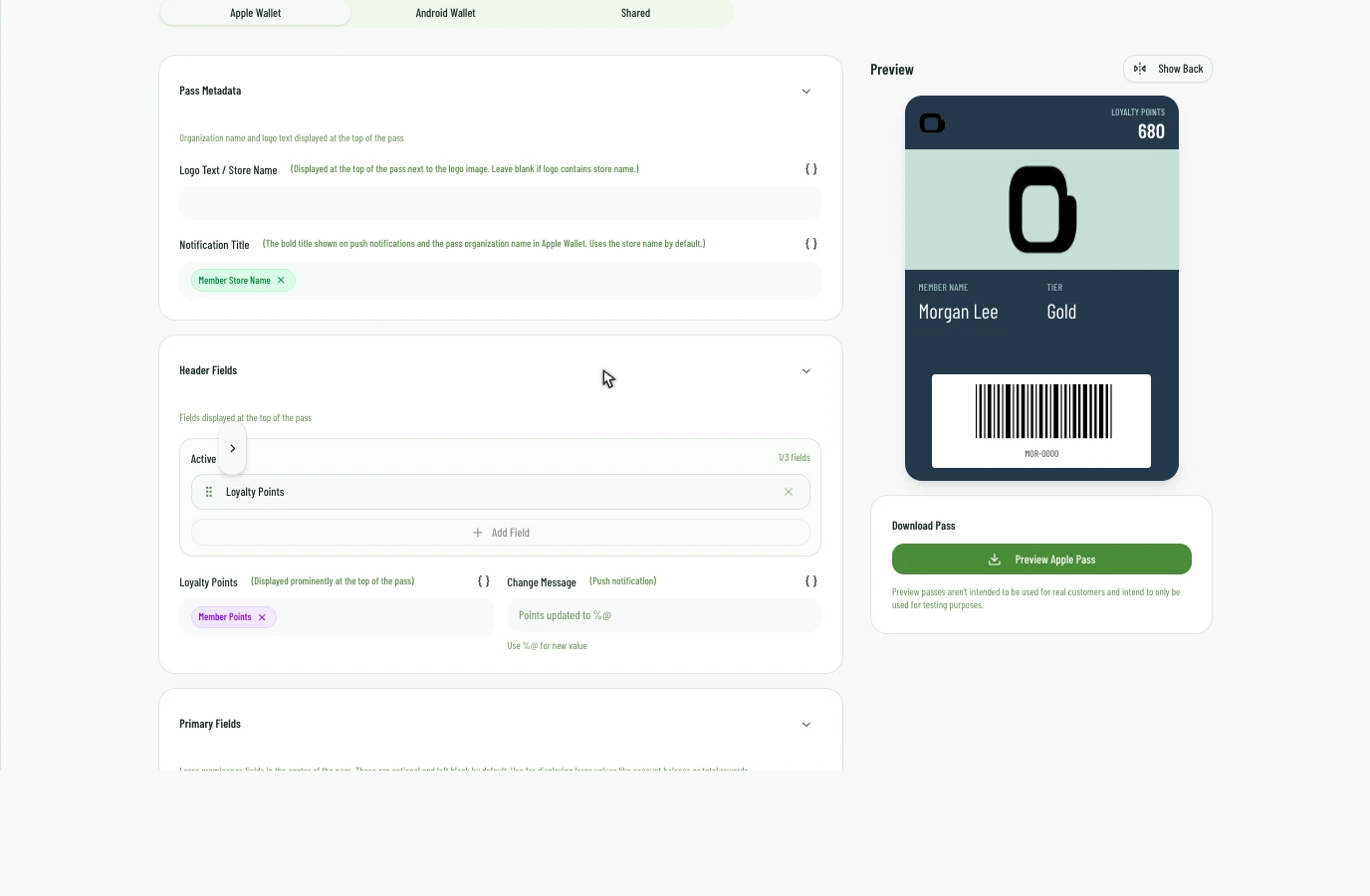
Approach I connected the designer’s platform-specific field mappings to its wallet previews. A designer can check the same member’s name, points and tier in each layout before delivery.
Next.jsSupabaseExpressApple WalletGoogle WalletDesign a membership pass
How it connects.
Multi-tenant isolation / pass signing / customer data integration
- 01SOURCE FEEDS
- 02CUSTOMER DATA
- 03SIGNED PASSES
- 04APPLE + GOOGLE
Implementation evidence.
Preview before issue
Apple and Google arrange the member fields differently. The designer renders both previews from the template and member values so the team can check placement and wording.
A pass after issue
Apple Wallet registers devices for pass updates and uses push notifications to prompt a refresh. Google Wallet has its own issuing path. Both begin with the tenant’s reconciled membership record.
Tenant boundaries are explicit
Each tenant gets a separate database schema. Retrying setup reuses that schema, and signed passes carry the tenant’s branding.
Outcomes
- A tenant can keep the preferred value for each field when sources disagree.
- The same membership can be represented in Apple Wallet and Google Wallet.