Secure Systems Automation
Generate a sample batch and check who owns each record.
The problem.
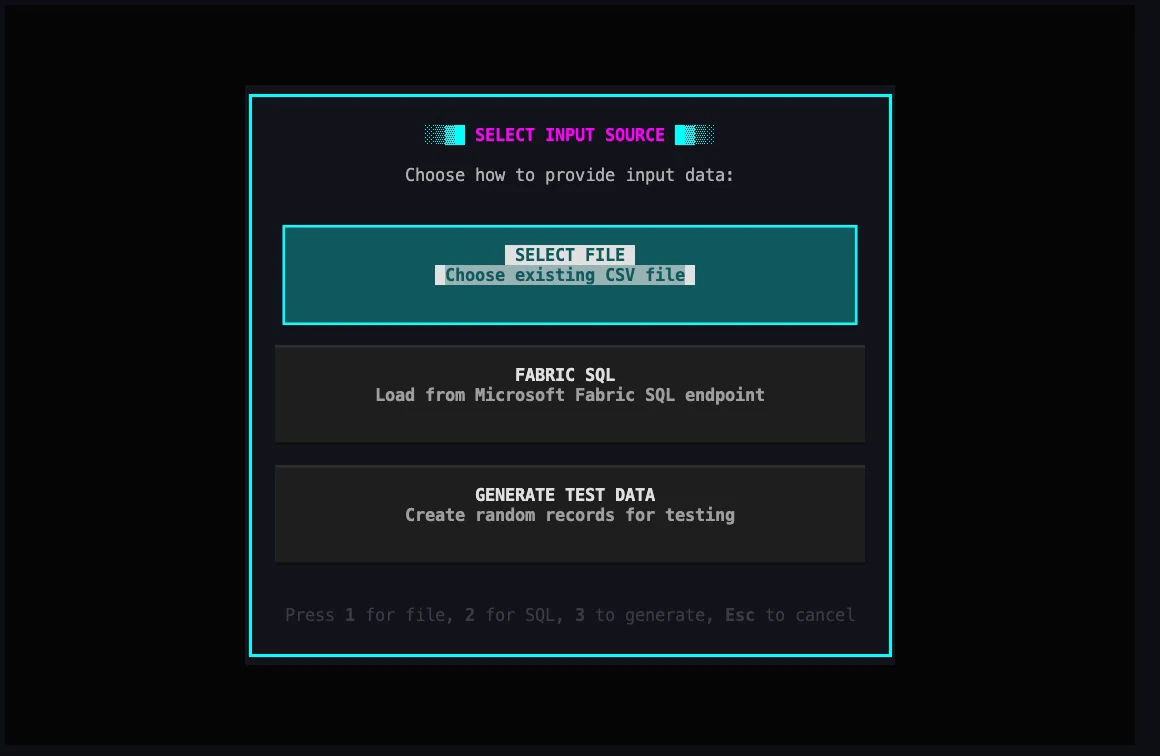
Before processing sensitive records, a remote operator has to choose a source, know where documents will be written and be able to test those choices without working on live records.
Role I designed the batch workflow, browser automation and keyboard controls, and integrated the identity and secret-storage services.
Approach I built the source and output choices into terminal screens. Operators can use generated test data for rehearsal and choose local or managed storage for the results. The processing workflow masks identifying fields before capturing the PDF.
PythonPlaywrightAzurePydanticKey VaultRehearse a batch import
How it connects.
PII protection / managed identity / resilient batch processing
- 01ENCRYPTED RECORDS
- 02PROTECTED LOOKUP
- 03PII MASKING
- 04SECURE DOCUMENTS
Implementation evidence.
Set the boundaries before starting
The source picker separates CSV, Fabric SQL and generated input. A separate output screen asks where to save the PDFs and search results.
Built for remote operation
YAML configuration defines workflows. A keyboard-only terminal interface supports Azure Bastion access, with session-persistent batch processing for daily record handling.
Controls follow the record
The browser masks sensitive fields before it captures the PDF. Managed identity gives the worker access to secrets without putting credentials in the workflow file.
DOCUMENTED SCOPE / 250-500 sensitive records per dayPractices aligned with SOC 2 trust-service areas and FedRAMP-style control families, informed by CompTIA security fundamentals.Remote operation preserves progress
Operators can review progress from the keyboard. The batch retains its state across remote sessions.
Outcomes
- Reviewers can use a masked document as evidence of a completed lookup.
- Operators can resume interrupted work from recorded progress.